Document Management for Epicor Prophet 21
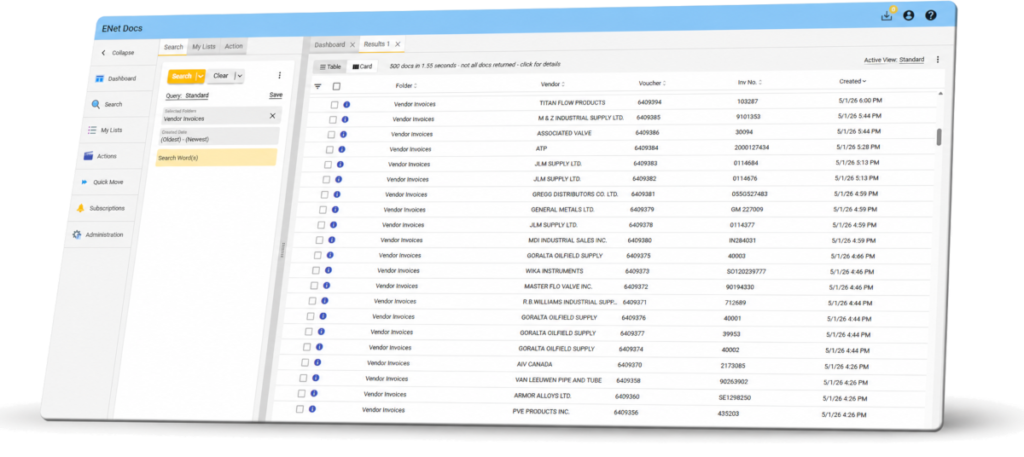
Why document management breaks down in P21
Documents stored in shared folders or network drives
Invoices and POs attached inconsistently
Manual filing and naming conventions
Limited integration with P21 transactions
Time lost searching for documents
Delays in answering customer or vendor inquiries
Risk of missing or duplicate records
Limited visibility across teams
Centralize and access documents directly within P21
Capture documents automatically
Import invoices, orders, and files directly into a structured system.
Find documents instantly
Search and retrieve documents by customer, vendor, or transaction.
Organized around your business
Documents are indexed and stored in a consistent, structured format.
Secure and controlled access
Control who can view and retrieve documents across your organization.
How document management works with Prophet 21
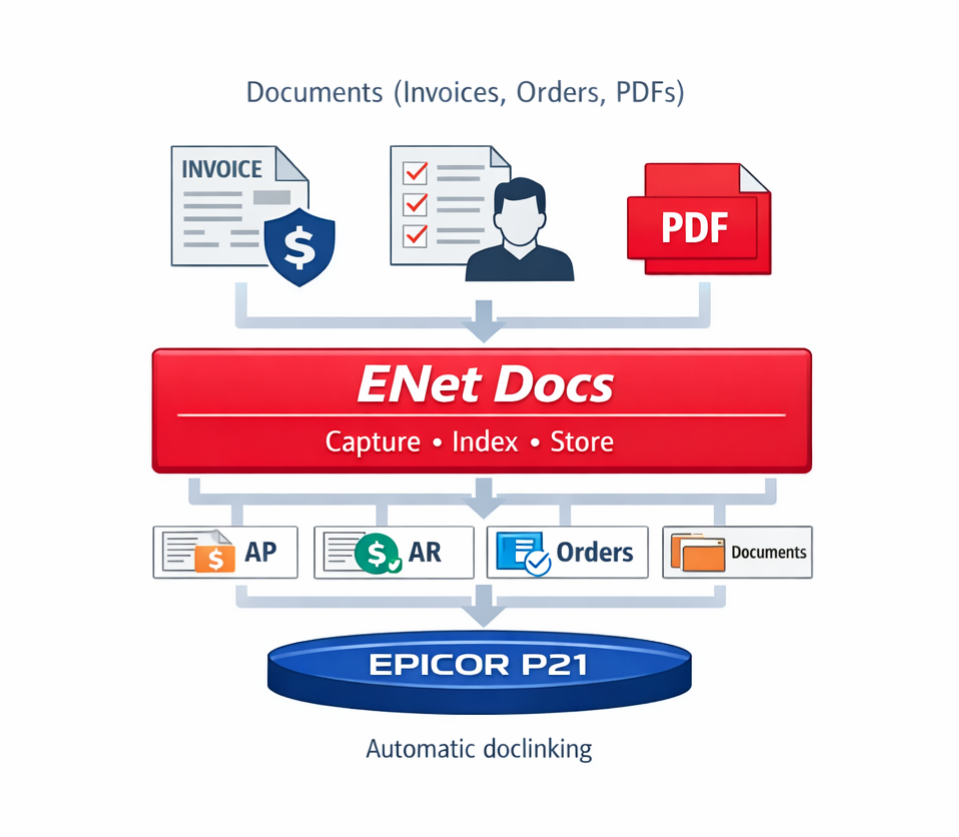
ENet Docs connects your documents directly to P21 —
making them instantly available wherever you need them.
Customer Service
Quickly retrieve order and invoice history while responding to customer inquiries.
Accounting
Access supporting documents for invoices, audits, and vendor records.
Operations
Keep order, delivery, and transaction documents organized and available across teams.
Take control of your operational documents
Start with a simple conversation about how your team stores, finds,
and manages documents today.